
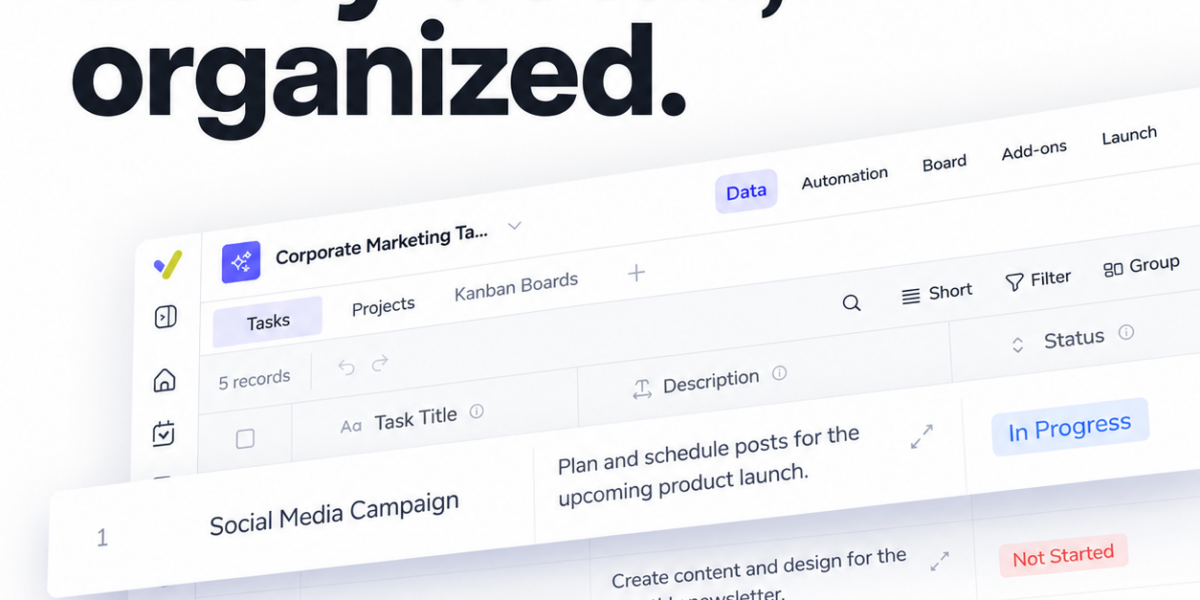
Streamline Your Workflow with Fruitask Table
In today’s fast-paced environment, managing campaigns effectively is crucial for success. The Fruitask Table empowers teams to consolidate essential elements of their projects into a single, flexible table. This dynamic tool enables you to bring your campaign tasks, creative assets, contacts, and project details together, ensuring a structured yet adaptable workflow.
Features of Fruitask Table
The Fruitask Table is designed with customization in mind. Here are some key features that make it stand out:
- Custom Columns: Tailor your table with various column types such as text, dates, statuses, files, and numbers. This personalization helps you capture all necessary data at a glance.
- Search, Filter, and Sort: Navigate through your tasks and assets effortlessly. Use the search function to find specific items, and apply filters to hone in on what matters most. Sorting options help prioritize tasks to improve productivity.
- Task Ownership: Clearly assign owners to tasks, ensuring accountability and clarity on who is responsible for each component of the project.
- Deadlines and Deliverables: Set deadlines to each task, which aids in managing time effectively. It keeps teams focused on delivering quality work within allocated timeframes.
- Asset Management: Keep your creative assets organized within the same table. Attach files directly to relevant tasks for seamless access.
Enhance Collaboration with the Fruitask Table
Effective collaboration is critical in any team environment. By using the Fruitask Table, members can easily see what needs attention. This enables your team to:
- Stay updated on project status and next steps.
- Access shared files without navigating multiple platforms.
- Coordinate efforts to meet deadlines successfully.
Visualize Your Workflows
Managing a large number of tasks can often feel overwhelming. The visual aspect of the Fruitask Table allows you to:
- Have an at-a-glance view of your entire project, making it easier to understand where everything stands.
- Quickly identify tasks that are overdue or approaching deadlines, ensuring nothing falls through the cracks.
Why Choose Fruitask Table Over Other Tools?
While there are various project management tools available, the Fruitask Table offers several distinct advantages:
- Integration of multiple features in a single view saves time and reduces the need to switch between programs.
- Customizability means that no need is too niche; you can create a setup that specifically caters to your team’s requirements.
- Its intuitive design means that users can get up and running quickly, without a steep learning curve.
Tips for Maximizing Your Use of Fruitask Table
To fully leverage the capabilities of the Fruitask Table, consider the following tips:
- Regular Updates: Make it a habit to regularly update statuses, deadlines, and related files. This ensures that everyone is on the same page.
- Utilize Filters: Use the filtering options to organize tasks based on urgency or team member. This ensures everyone knows their priorities.
- Integrate Assets: Attach relevant creative assets directly to tasks whenever possible. This minimizes the time spent searching for files.
Conclusion
The Fruitask Table is more than just a task tracker; it’s a comprehensive solution for effective project management. By bringing together campaign tasks, asset management, and team collaboration in one flexible format, it acts as a pivotal tool that streamlines your workflow. Start using the Fruitask Table today and watch your project management capabilities soar!
For more information and to see how the Fruitask Table can transform your team’s workflow, visit our website today!
